Evaluating the Good Time 3D Editable Text Effect Style for Graphic Design
In the fast-paced world of digital design, efficiency often dictates the quality of output. Designers frequently seek resources that bridge the gap between high-end visual aesthetics and rapid production timelines. One such resource gaining attention is the Good Time 3D Editable Text Effect Style. This tool, created using Adobe Photoshop CC, offers a pre-configured solution for applying complex three-dimensional typography to projects. Understanding its capabilities, limitations, and ideal use cases is essential for designers deciding whether to integrate it into their workflow.
Understanding the Resource
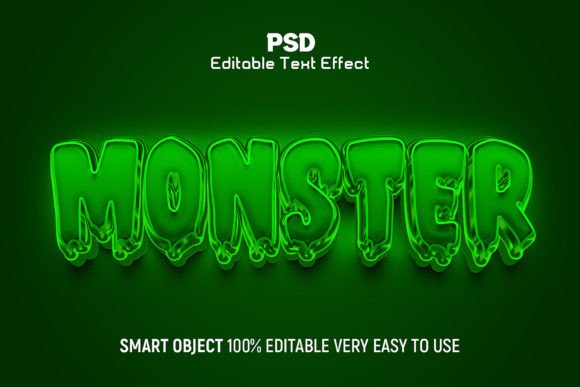
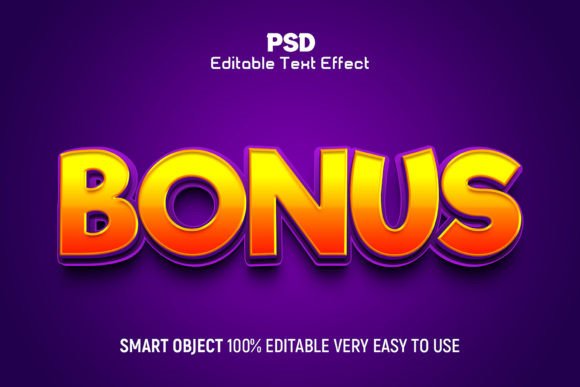
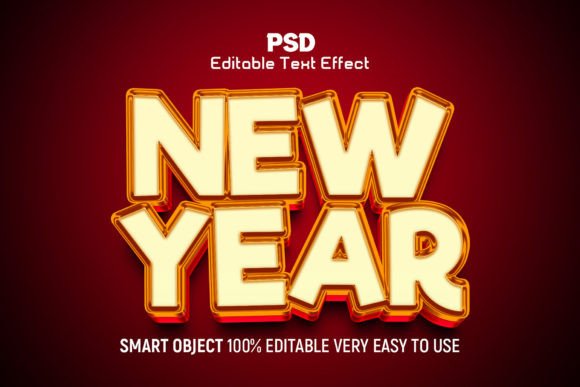
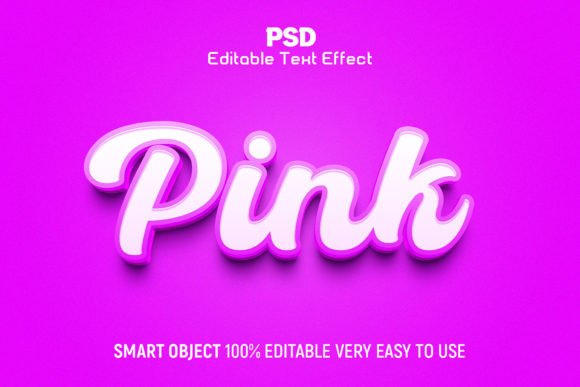
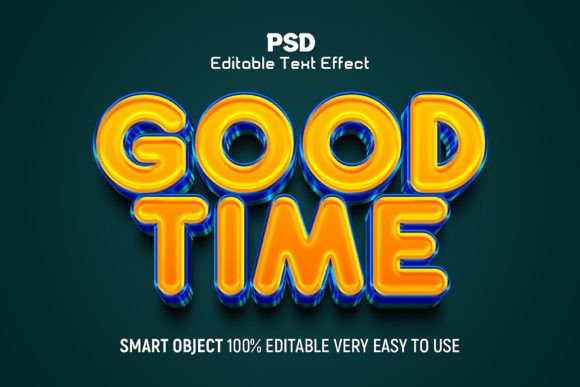
The Good Time 3D Editable Text Effect Style is fundamentally a graphic resource packaged as an editable PSD file. Unlike static images or flat vector graphics, this asset leverages the layering and smart object capabilities of Adobe Photoshop to create depth, shadow, and texture automatically. The core value proposition lies in its editability; users can replace placeholder text with their own copy, and the effect updates dynamically while maintaining the intended three-dimensional look.
The package typically includes high-resolution JPEG preview images and the primary PSD file. With a resolution of 300 DPI in RGB color mode, the output is suitable for both digital displays and high-quality print materials. The layers are well-organized into groups, ensuring that even users with intermediate Photoshop skills can navigate the file structure without confusion. Additionally, the inclusion of a help guide provides necessary context for troubleshooting or advanced customization.
Why Designers Consider This Tool
The primary driver for adopting tools like the Good Time 3D Editable Text Effect Style is time efficiency. Creating realistic 3D text from scratch involves multiple steps: extruding shapes, managing light sources, calculating shadows, and applying textures. For a seasoned professional, this process can take hours. For a beginner, it may be prohibitively difficult. This resource condenses that workflow into a matter of minutes.
Another significant factor is consistency. When working on a series of social media posts, event banners, or promotional materials, maintaining a uniform visual style is crucial. Using a single PSD template ensures that every instance of text shares the same lighting, perspective, and stylistic nuances. This reduces the cognitive load on the designer, allowing them to focus on composition and messaging rather than technical execution.
Benefits and Practical Advantages
- High-Quality Output: The 300 DPI resolution ensures that the text remains crisp and detailed, avoiding the pixelation common in lower-quality assets.
- Full Customizability: Every element, including fonts and colors, is 100% editable. This allows designers to align the effect with specific brand guidelines or project themes.
- User-Friendly Structure: Well-organized layers mean that users do not need to hunt for specific adjustments. The logical grouping simplifies the editing process.
- Support and Documentation: The inclusion of a help guide and access to customer support mitigates the risk of getting stuck during the editing process.
Tradeoffs and Considerations
While the benefits are clear, there are tradeoffs to consider. First, this resource requires Adobe Photoshop CC. Designers who rely solely on free alternatives like GIMP or web-based tools like Canva cannot utilize this PSD file directly. This creates a barrier to entry for those outside the Adobe ecosystem.
Second, while the effect is "editable," it is not infinitely flexible. The 3D perspective and lighting are pre-baked into the smart objects. If a project requires a specific angle of light that contradicts the template’s setup, modifying it may require advanced knowledge of Photoshop’s 3D engine or manual painting, which defeats the purpose of using a template. Users must accept the stylistic constraints of the "Good Time" aesthetic.
Furthermore, relying heavily on pre-made effects can lead to generic-looking designs. If many designers use the same popular templates, the visual landscape can become saturated. To maintain uniqueness, designers should use these tools as a starting point rather than a final solution, tweaking colors, textures, and compositions to add a personal touch.
Ideal Use Cases
The Good Time 3D Editable Text Effect Style is a strong fit for several specific scenarios:
- Social Media Graphics: Platforms like Instagram and Facebook favor bold, eye-catching typography. The 3D effect helps posts stand out in crowded feeds.
- Event Promotions: Concerts, parties, and sales events often benefit from energetic, dimensional text that conveys excitement and urgency.
- Rapid Prototyping: Agencies presenting concepts to clients can use these templates to quickly visualize how 3D typography might look in a campaign without investing billable hours in custom creation.
- Beginner Learning: Novice designers can study the layer structure to understand how professionals build 3D effects, serving as an educational tool as well as a practical asset.
When to Consider Alternatives
There are situations where this type of resource may not be the best choice. If a project demands highly specific branding elements, such as a unique logo integration with custom lighting interactions, a bespoke 3D render using software like Blender or Cinema 4D may be more appropriate. These tools offer total control over geometry and physics but come with a steeper learning curve.
Additionally, if the final output requires vector scalability—such as large-format signage that needs to be resized infinitely without loss of quality—a raster-based Photoshop effect may fall short. In such cases, creating 3D text in Illustrator or using SVG-based web technologies might be a better long-term investment.
Making the Decision
Choosing whether to incorporate the Good Time 3D Editable Text Effect Style into your toolkit depends on your current workflow and project requirements. If you are an Adobe Photoshop user looking to speed up production while maintaining high visual standards, this resource offers significant value. It balances ease of use with professional-grade results, making it a practical addition for freelancers and agencies alike.
However, it is vital to approach such tools with a critical eye. Evaluate whether the specific aesthetic of the template aligns with your brand identity. Consider the technical requirements and ensure your hardware and software can handle the file efficiently. By viewing this resource as a component of a broader design strategy rather than a standalone solution, you can leverage its strengths while mitigating its limitations. Ultimately, the goal is to enhance creativity and efficiency, and when used judiciously, this editable text effect can be a powerful ally in achieving that balance.